

How Can You Join a Gym Outside Staffed Hours?
Last Updated: October 25, 2026
Quick Summary
When you join gym outside staffed hours, you complete your membership application online, set up your payment method, receive access credentials, and activate your account without speaking to staff in person. Once activated, you can enter using a key fob, access card, or mobile app.
- Complete your online application in 10-15 minutes with personal information and payment details.
- Access credentials come as a physical key fob, access card, or mobile app activation.
- Most memberships activate automatically within a few hours after payment processes successfully.
- Test your credentials during staffed hours before relying on them for after-hours entry.
- Tell someone where you're going and keep your phone charged when training alone at night.
Table of Contents
- Understanding the Difference Between Joining and Training After Hours
- Complete Your Gym Membership Application Before Arriving
- Getting Your 24-Hour Gym Key Fob Access and Entry Credentials
- Activating Your Gym Membership After Hours
- Arranging a Gym Tour Outside Staffed Hours
- 24-Hour Gym Safety During Unstaffed Visits
- What to Do If You Cannot Access the Gym After Hours
- Start Your Membership at Pros Gym Today
- Frequently Asked Questions
Understanding the Difference Between Joining and Training After Hours
When you join gym outside staffed hours, it's different from using the facility after hours as a member, they require different steps and access levels.
When you join gym outside staffed hours, you're completing the membership application and activation process while the front desk is closed.
Here's the key difference: membership application is the enrollment process, while after-hours access is what you get once you're a member.
The process breaks down into clear steps: complete your application online, receive your access credentials, activate your membership, then enter the gym during unstaffed hours.
Some gyms require an in-person visit before you can access the facility, and others have confusing online systems.
Complete Your Gym Membership Application Before Arriving
Starting your membership application online is the fastest way to join outside staffed hours. You don't need to visit the gym in person to begin.
Here's what you'll do:
- Visit the gym's website or mobile app
- Find the membership or "Join Now" section
- Select your membership plan (day pass, week pass, or monthly membership)
- Enter your personal information (name, email, phone number, date of birth)
- Provide your payment method (credit card or bank account)
- Review and sign the membership agreement electronically
- Submit your application
The membership agreement is a legal document covering gym rules, liability, cancellation policies, age requirements, and membership terms. Read it carefully before signing.
Most gyms require you to be at least 18 years old to join independently.
After you submit your application, you'll receive a confirmation email with next steps for activating your account and accessing your entry credentials. Save it.
The online application typically takes 10-15 minutes.
Once your application is submitted and approved (usually within a few hours), you'll be ready to move to the next step: getting your access credentials.
Getting Your 24-Hour Gym Key Fob Access and Entry Credentials
Your access credentials are what let you enter the gym during unstaffed hours.
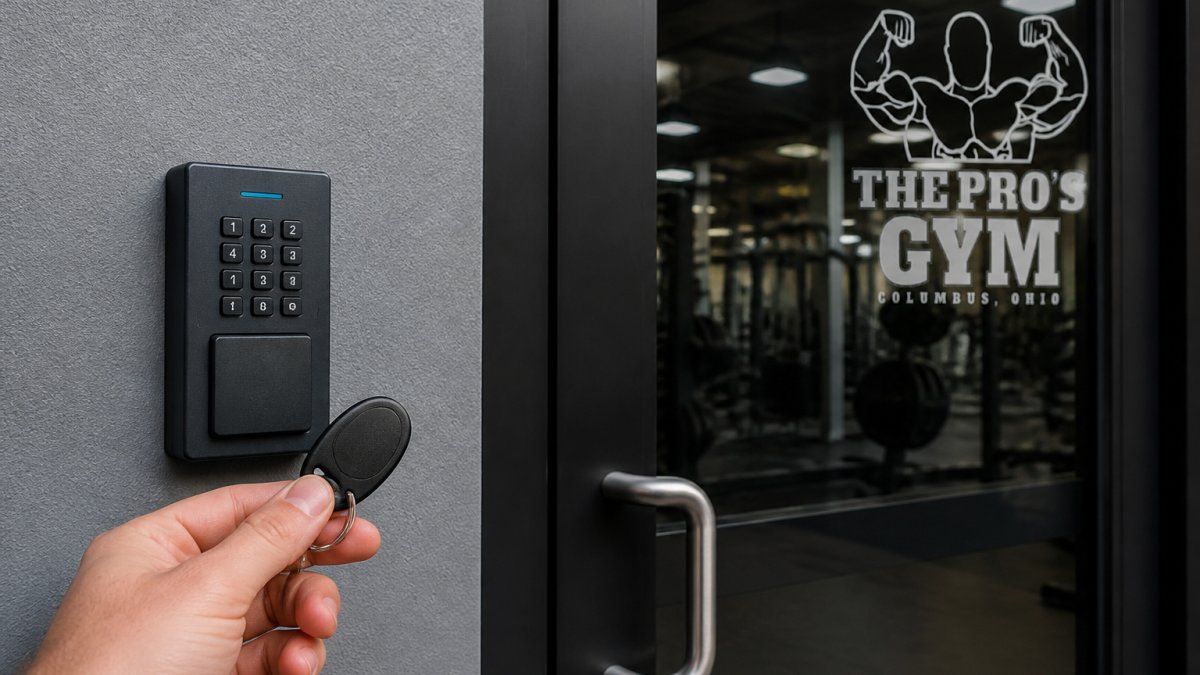
Physical key fob: A small device you tap against the door reader to unlock the door.
Access card: Similar to a key fob but shaped like a credit card; swipe or tap it at the entry point.
Mobile app: Open the app, tap a button, and the door unlocks. This requires your phone to be charged and have a data connection.
If you applied online outside staffed hours, you have two options for getting your credentials:
-
Pick up during staffed hours: Visit the gym during business hours to collect your key fob or access card from the front desk. This is the fastest way to get physical credentials.
-
Receive by mail: Some gyms mail your credentials to your address. This takes 3-7 business days.
-
Activate mobile app access immediately: If the gym offers app-based entry, you can activate this right after your membership is approved, without waiting for physical credentials.
If your credentials don't work, common causes include a dirty door reader, credentials not activated in the system, or an unprocessed membership.
Most gyms offer three types of access credentials for after-hours entry, each with different advantages.
| Credential Type | How It Works | Best For |
|---|---|---|
| Physical key fob | Tap against door reader to unlock | Works when phone dies |
| Access card | Swipe or tap at entry point | Fits easily in wallet |
| Mobile app | Tap button in app to unlock door | Immediate activation after approval |
Activating Your Gym Membership After Hours
Membership activation is the step that turns your application into an active account. Until your membership is activated, you won't be able to enter the facility.
Activation happens automatically for most online applications: once your form is submitted and payment processes successfully, your account becomes active within a few hours and you'll receive a confirmation email.
Some gyms require you to complete activation by visiting in person. This usually involves signing additional paperwork or confirming your identity.
At Pros Gym, once your application is approved and payment clears, you can access membership options to confirm your plan details and payment schedule.
After activation, verify your membership works:
- Your account appears in the gym's member database
- Your payment method has been charged
- Your access credentials are active in the door system
- You receive a member ID number via email
Your member ID is important. You'll need it if you have questions, want to add services like personal training, or need to update your membership. (Source: consumer protection laws regarding service agreements)
Most gyms offer an online member portal showing your membership status, upcoming charges, class schedules, and account settings. Use it to confirm your membership is active and your payment information is correct.
Arranging a Gym Tour Outside Staffed Hours
A gym tour helps you understand the layout, equipment, and facilities before you commit to membership.
If you're joining outside staffed hours, you have a few options for touring:
Schedule a tour during staffed hours: Contact the gym by phone or email. Most tours are free, and a staff member will show you the facility, answer equipment questions, and explain the gym's systems.
Request a virtual tour: Some gyms offer video tours on their website or social media, so you can see the equipment, layout, and facilities without visiting in person.
Tour the facility during your first after-hours visit: Explore on your own to locate the equipment you need, find the locker rooms, and get comfortable with the layout.
Many gyms offer new member orientations, short 15-30 minute sessions covering equipment safety, facility rules, and the app or access system.
You can also arrange a gym tour to learn about safety procedures and proper equipment use before training alone at night.
24-Hour Gym Safety During Unstaffed Visits
Training alone during unstaffed hours requires extra safety awareness, there's no staff member present if something goes wrong.
Before your first unstaffed visit, make sure you know:
- Where the emergency exits are located
- How to call for help (most gyms have emergency buttons or phones)
- What to do if equipment breaks or malfunctions
- Whether security cameras are present throughout the facility
- If there's a 24-hour support phone number you can call
Safety checks before you train:
- Inspect equipment for damage before using it
- Check that all weights and bars are secure
- Verify that machines aren't broken or missing parts
- Look for spills or hazards on the floor
- Make sure lighting is adequate in your training area
Personal safety during unstaffed hours:
- Tell someone where you're going and when you'll be back
- Keep your phone charged and accessible
- Train in well-lit areas with good visibility
- Don't leave your belongings unattended
- Be aware of who else is in the gym
- Trust your instincts, if something feels unsafe, leave
Many gyms have security cameras recording 24/7. This adds a layer of safety during unstaffed hours. However, don't rely solely on cameras. Take personal responsibility for your safety.
If you feel uncomfortable training alone at night, bring a training partner. Most gyms allow members to bring guests, and having another person present increases safety and accountability. You can spot each other on exercises and help if there's an emergency.
Most 24-hour facilities are safe, especially with security cameras and good lighting, but your personal awareness and preparation matter more than the gym's features. Take the same precautions you would anywhere else late at night.
What to Do If You Cannot Access the Gym After Hours
Sometimes your access credentials don't work even though you've completed all the steps. It's frustrating, but usually fixable.
Common reasons your key fob or access card won't work:
- Your membership hasn't been fully activated in the door system yet
- The door reader is dirty or malfunctioning
- Your credentials were issued but not programmed into the system
- Your membership lapsed or was canceled
- The gym's access system is experiencing technical problems
First steps to take:
-
Try the door again. Sometimes the reader needs you to hold the credential closer or at a different angle. Wait a few seconds between attempts.
-
Check your email. Look for a confirmation that your access has been activated. If you don't see one, your credentials might not be active yet.
-
Call the gym's support line. Most 24-hour gyms have a phone number or email for after-hours issues. Call and explain the problem. Staff can check your account status and activate your credentials remotely.
-
Visit during staffed hours. If calling doesn't solve it, visit the gym in person. Staff can test your credentials, reprogram them, or issue new ones.
-
Check the gym's mobile app. If you have app-based access, try using that instead. If the app works but your physical key fob doesn't, the problem is with the physical credential.
Most access issues resolve within 24 hours. If your membership was just approved, the door system might not have updated yet. Wait a few hours and try again.
If you're traveling and need to use a different gym location, check whether your membership includes access to other locations. Some memberships are limited to one specific location. Others allow you to train at multiple gyms in a chain. Contact the gym to confirm your membership covers the location you want to visit.
If the gym's access system is down, you might not be able to enter, even though your membership is active. This is rare, but it happens. In this case, contact the gym's support team.
Start Your Membership at Pros Gym Today
Joining a gym outside staffed hours is straightforward when you know the process. Complete your application online, get your access credentials, activate your membership, and you're ready to train.
At Pros Gym, we've made joining after hours simple. Our three full floors of equipment support every fitness discipline, from powerlifting to bodybuilding. Whether you're a local member or in town for a short stay, 24/7 access means you can train on your schedule.
Ready to join? Check out our membership options to find the plan that fits your needs. All members get access to our saunas, showers, and free towel service. Plus, we have free parking and professional personal training available.
Frequently Asked Questions
Can you join a gym when it is unstaffed?
Yes, you can join a gym outside staffed hours by completing your membership application and payment online before you arrive. Many gyms, including those offering 24/7 access, allow new members to finalize their enrollment through their website or mobile app. Once your membership is activated and your access credentials are issued, you can enter the facility during unstaffed hours using your key fob, access card, or mobile app.
How do you get into a gym during unstaffed hours?
After your gym membership after hours is activated, you receive access credentials that work around the clock. These typically include a key fob, access card, or mobile app entry system. Simply scan or tap your credential at the door entry system to unlock the facility. Make sure your membership account is fully activated and your payment method is valid before attempting after-hours access.
Can you tour a gym outside staffed hours?
A formal gym tour outside staffed hours is typically not available since staff are not present. However, you can arrange a tour during regular staffed hours by contacting the gym directly or scheduling through their website. Some gyms may allow you to explore the facility on your own once your membership is active and you have after-hours access, though this is not the same as a guided tour.
Do 24-hour gyms have staff on site during unstaffed hours?
Most 24-hour gyms do not have staff physically present during all hours. Staff typically work during peak business hours, and the facility operates unstaffed during late-night and early-morning periods. However, many locations have security cameras, emergency call systems, and emergency contact procedures in place. Always review your gym's 24-hour gym safety procedures and contact information before training during unstaffed hours.
The process of joining a gym outside staffed hours removes the barrier of waiting for business hours. With online applications, mobile app access, and clear activation steps, you can become a member and start training whenever works for you.
